 English
  Nederlands
Flowmanager
Software for effective directing patient flow at testing and vaccination sites
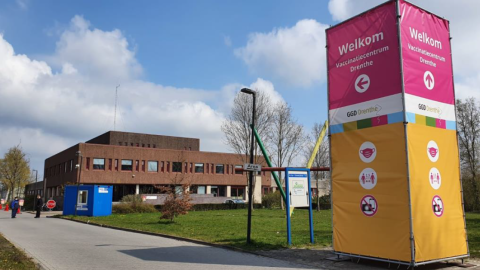
Direct patients to the appropriate room and maximise the efficiency of testing and vaccination sites. Flowmanager enables you to manage patient or visitor flow at testing and vaccination locations with ease and clarity.
“With Flowmanager, you always have an up-to-date overview of available rooms. Direct patients to the right space and achieve maximum efficiency.”
Staff on site have a real-time overview of which treatment rooms are open or closed, which rooms are currently occupied, and how many patients are waiting for each room.
Effective room allocation and patient routing
By operating with a queue of one person per room, the next patient is always ready. This ensures maximum efficiency at each treatment room. Staff can continue working without delays and do not need to wait for the next patient to arrive at the room or designated area.
Management App
Using the Management App, you can oversee and manage the flow across the testing lane, test centre or vaccination site. We configure the system for you as standard, but you can also easily add users or treatment rooms yourself as the site expands. The statistics within the Management App provide clear insight into the number of patients directed per room, per day.
Flowmanager App
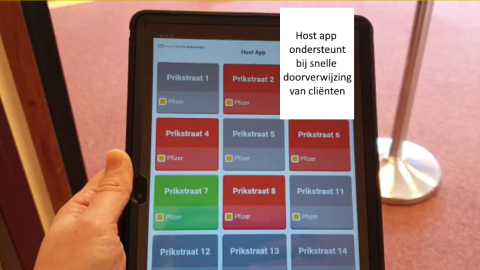
At the central reception or at various entry points, staff use a robust tablet running the Flowmanager App. This provides a live overview of the status of all rooms, desks and treatment areas. Staff can direct a patient to an available room simply by selecting the relevant room number. They also have immediate visibility of the queue for each room or desk. If the maximum queue length for a room has been reached, this is shown instantly on the tablet, allowing the patient to be redirected to another available room.
“Managing patient flow with Flowmanager: simple and efficient.”
Desk App
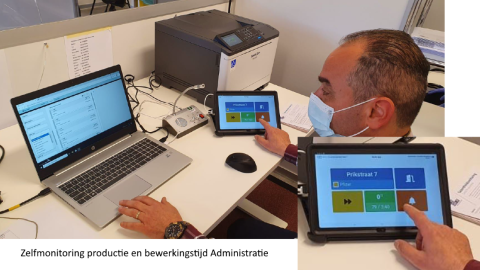
The Desk App is operated by staff within the rooms, desks or treatment areas. Via a PC, tablet or phone, they can easily open a room and indicate that they are ready to receive a patient. As soon as a new patient is admitted, the Flowmanager App is automatically updated, signalling that another patient can be directed to that room.
Queue safeguarding
The staff member using the Desk App cannot accidentally overlook a patient in the queue, as the application cannot be closed until the queue has been cleared. They can, however, close a room, space or desk in advance, ensuring that Flowmanager does not direct any further patients to that location.
Customer journeyRelated content: